
As a Mac owner, you can use the built-in Apple Music app for your favorite tunes, but if you prefer Spotify for your music you can also use Spotify on a MacBook. To do so, you can either download the app directly to your MacBook or use the web player.
Here, we’ll show you how to get Spotify on a MacBook so you can listen to the songs and playlists you enjoy while you work or play.
How to download and install the Spotify desktop app on Mac
If you’ve searched the Mac App Store for Spotify, you’ve likely seen third-party apps that work with the music app but not Spotify itself. Currently, you’ll need to visit the Spotify website and download the app from there.
Step 1: Visit the Spotify download page for Mac and select Download.
Step 2: Go to your Downloads folder via the web browser you’re using or with Finder and open the Spotify installer ZIP file.
Image used with permission by copyright holder
Step 3: When the file unzips, open the Install Spotify file.
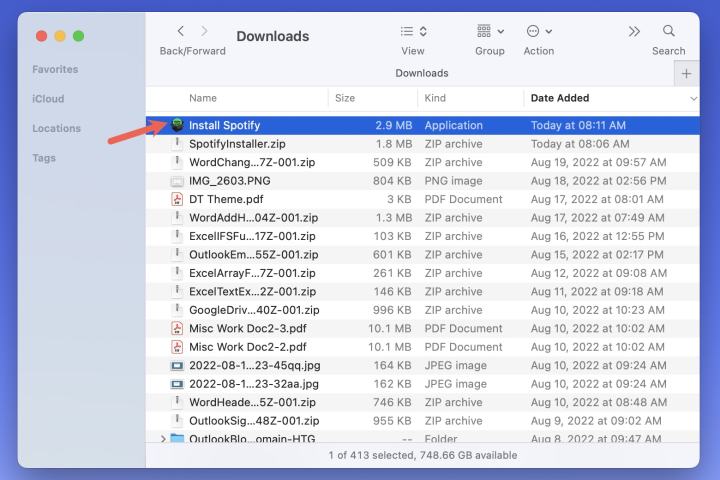
Image used with permission by copyright holder
Step 4: You’ll see a small box open letting you know that the app is downloaded from the internet and asking you to confirm you want to open it. Select Open.
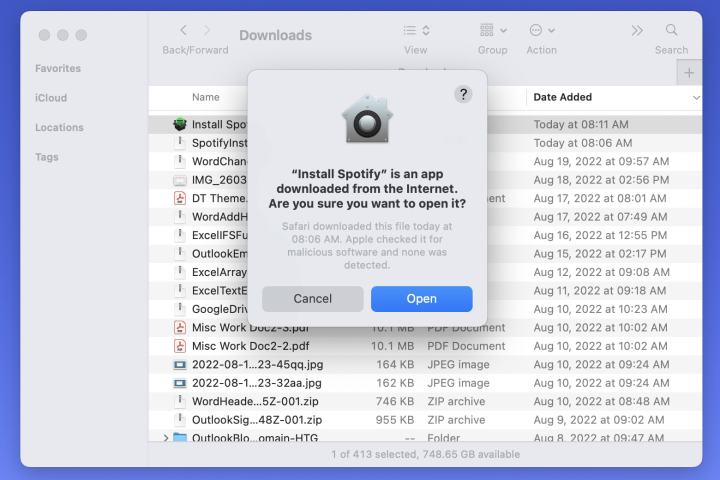
Image used with permission by copyright holder
Step 5: You’ll then see the progress bar as the application downloads and installs.

Image used with permission by copyright holder
Step 6: When complete, Spotify should open automatically. Select Log in.

Image used with permission by copyright holder
Step 7: Use one of the options to sign into your Spotify account.
You’re then ready to start listening to your favorite tunes or share one of your playlists using the Spotify desktop app. Reopen the app anytime from your Applications folder using Go > Applications from Finder.
Optionally, you can delete the downloaded files from Spotify.
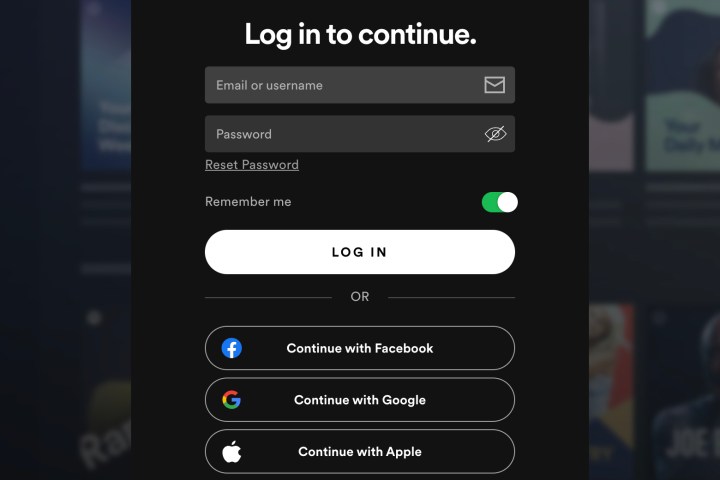
Image used with permission by copyright holder
How to use the Spotify web player on Mac
If you don’t want to download the desktop version of Spotify on your MacBook, you can always listen to music in your web browser.
Step 1: Visit the Spotify web player and select Log in.
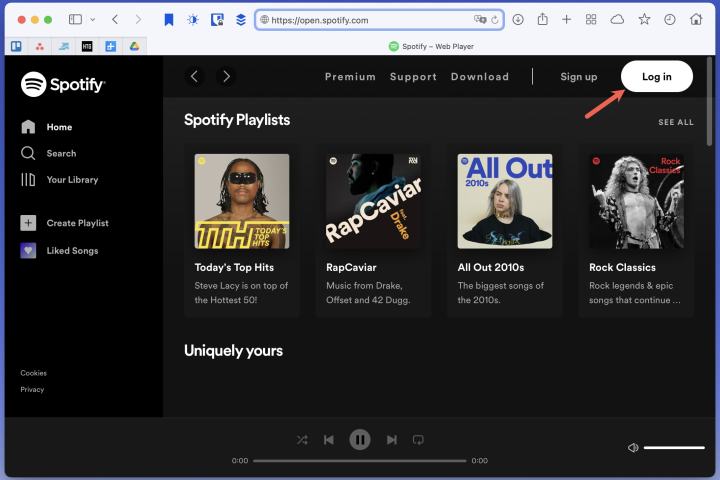
Image used with permission by copyright holder
Step 2: Use one of the options for your Spotify account to sign in such as your email address, Facebook, Apple, or Google.
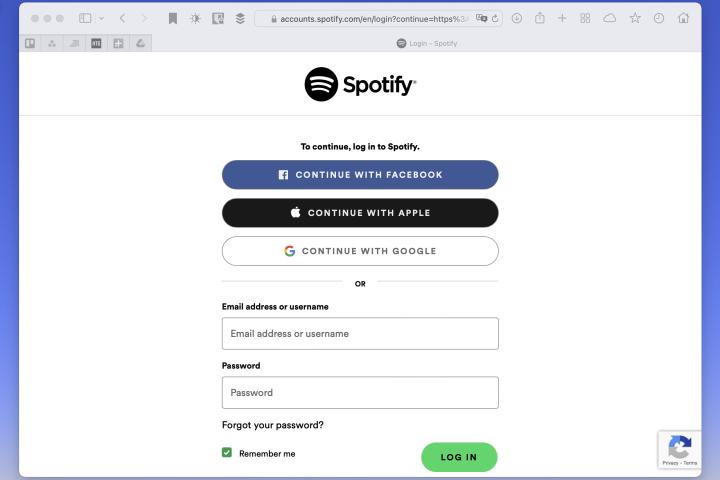
Image used with permission by copyright holder
Step 3: You can then use the web player to access your library or browse the home page for something new.
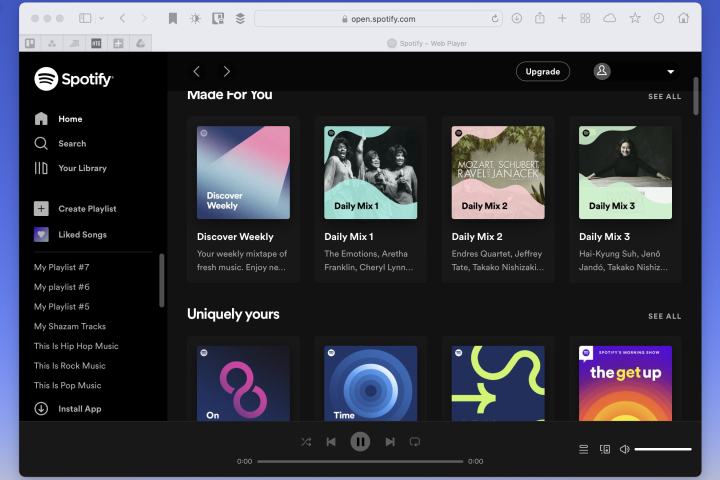
Image used with permission by copyright holder
Whether Spotify is your music application of choice or you want to create a new playlist, using the service on your Mac is easy. Enjoy!
Now that you know how to get Spotify on MacBook, learn how to make a collaborative playlist with a pal.
Editors’ Recommendations


