If you’re an Android phone user, you probably know your phone’s model in general terms, like if it’s a Samsung Galaxy S24 Ultra or a OnePlus 12. But what if you need to find out your Android phone’s specific model number? Then it might be a little more complicated since that number might be something like “SM” followed by a series of numbers and letters if you own a Samsung device. If need to find out your phone’s model, there are a couple of different ways to do it. The easiest way would be to look at your device itself or the box it came in to see if it has the model number on it, but you can also check your phone’s settings or use a third-party app to figure it out.
There are several reasons you might need to find out your Android phone’s model number. The most common reason may be to file a warranty claim, figure out compatibility with a carrier network, buy a compatible phone case, or just for your own knowledge and interest. Whatever the circumstance, knowing your phone’s model is useful information. Here’s how to find it:
Andy Boxall / Tech Reader
Check your purchase receipt or the box the phone came in
Looking at the back of your phone should normally give you the manufacturer name or logo and sometimes it will also state the phone’s model, but it usually won’t have the full model number. There are several ways you can still find it, though.
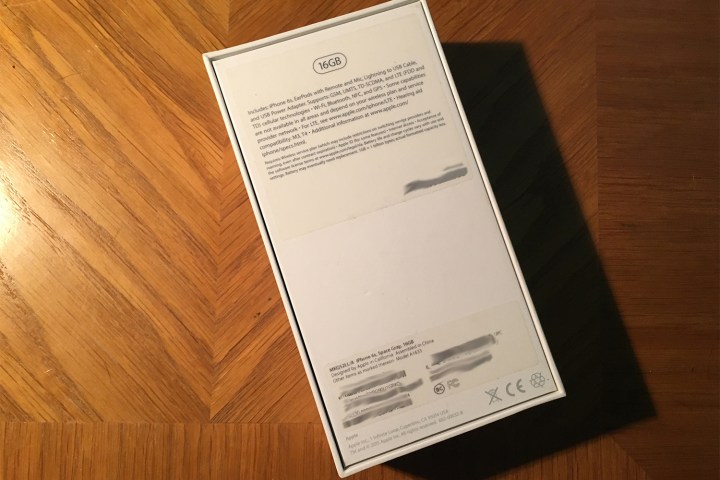
Step 1: If you still have the box your phone came in, check the sides for a sticker that shows model number, IMEI, and serial number.
Tech Reader
Step 2: Check the purchase receipt or the delivery receipt. Often, you’ll be able to find this information there.
Check your phone settings
If the previous steps you’ve tried haven’t worked, your next best option is to check your phone settings.
Step 1: Open Settings on your Android phone.
Step 2: Scroll down or type in About Phone.

- 1.
Samsung phone settings
Step 3: Tap About Phone.
Step 4: On Samsung phones (in this case, the Galaxy S23 Ultra) it will show you the phone number, model number, IMEI, and SIM information. With some phones like the Google Pixel, you may need to tap Model to open it.

- 1.
Samsung phone model number
Download a third-party app
If all else has failed and you’re unable to find your phone model number in your settings (this would be unusual), then your next best bet is to download a third-party app that can pull this information out for you. Many third-party apps can show you Android hardware info, but we recommend sticking to something reputable like AIDA64 or another benchmarking app.
Step 1: Open the Google Play Store.
Step 2: Type in AIDA64 into the search bar.
Step 3: Download and install the AIDA64 app.

- 1.
AIDA64 Android download
Step 4: Launch the app and enable the permissions it requires.

Step 5: Tap System.

Step 6: You should now be able to see you model number under Model. In our case, it’s SM-S918U1.

With that, you should now have everything you need about the model number of your Android phone and other information, including brand, hardware, and more. You can now use the model info to find compatible phone cases, file a warranty claim, ensure compatibility with your carrier network, and more.
Editors’ Recommendations


