
[ad_1]
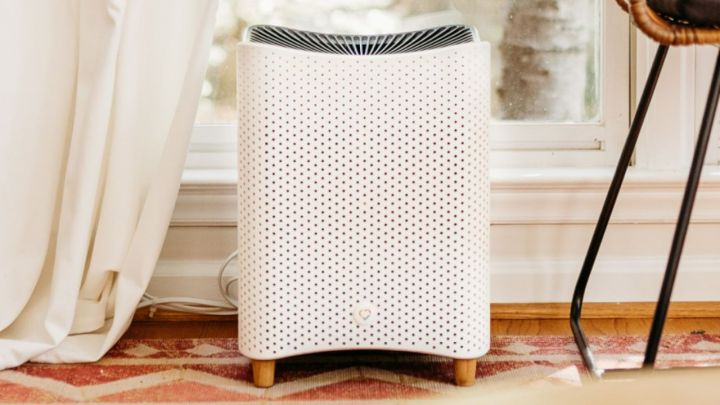
Mila
The Mila Air Purifier is loaded with cool features, giving you a simple way to track numerous metrics related to your indoor air quality. Along with the ability to monitor AQI, VOCs, humidity, and other important values, the Mila Air Purifier works with Apple Home. This lets you access the device via the Home app and sync it with the rest of your smart devices.
Best of all, it only takes a few minutes to get your Mila Air Purifier connected to Apple Home. Here’s everything you need to know.
How to connect the Mila Air Purifier to Apple Home
Connecting Mila to Apple Home lets you control your air purifier directly through the Home app. Its functionality isn’t as robust as the dedicated Mila app, but can still toggle the device on or off, changing its settings, and creating routines based on time, device state, and more. It’ll also give Apple Home access to a variety of Mila’s sensors (motion, air quality, temperature, etc.).
Once you’ve gone through the initial setup phase (that is, plugging in your Mila and syncing it to your smartphone), here’s how to get it connected to Apple Home.
Step 1: Launch the Mila app on your iPhone.
Step 2: Select the room with the air purifier you’d like to add to Home.
Step 3: Scroll to the bottom of the page and click on your air purifier.
Step 4: Scroll to the bottom of this page and select Add to HomeKit.
Step 5: Your unit will likely need to go through a quick update. Once this is done, you’ll get an alert letting you know the device is compatible with Apple Home.
Step 6: Simply name your device and follow the rest of the instructions to get Mila linked to Apple Home.
That’s all there is to it! You can now use your Mila via the Apple Home app. If you have other devices synced to Home, you can now create routines and scenes that allow the devices to interact with each other.
[ad_2]
Source link


